Free Action Items List
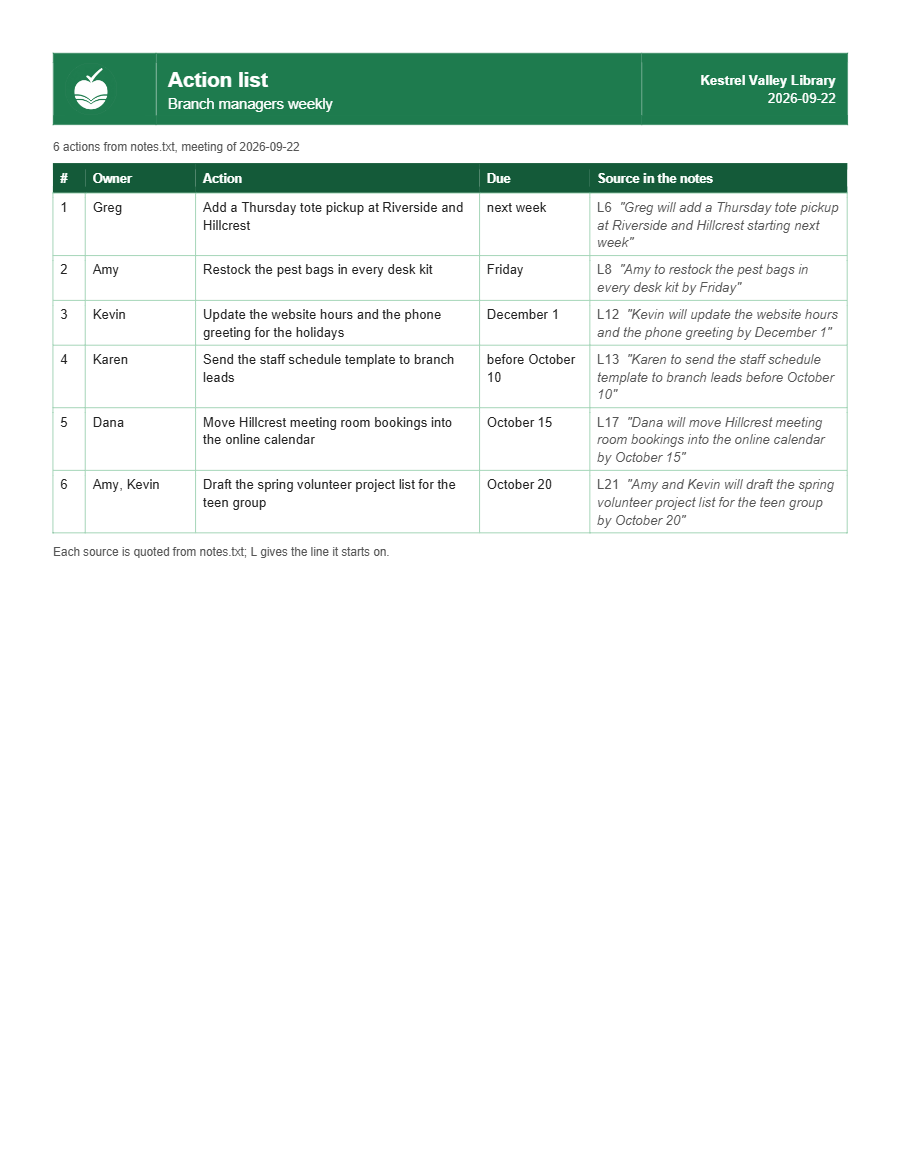
Paste in the notes from a meeting and it hands back a one-page action list in your brand. Each action quotes the line of the notes it came from, so anyone can check it against what was said.
The download includes the brand setup, the same one Document Ops uses. Run it once and every list after that carries your logo, colors, and fonts. Skip it and lists build on plain neutral defaults.
There is a second free download. If you write your own skills, the free skill audit grades a skill file against the same seven-point standard every pack here has to meet. Both free downloads →
What it makes
One page, from the notes of one meeting. You end with a configured brand kit and one working branded document, at no cost.
What a failure looks like.
These notes have five actions. One is assigned to Morgan, but the line it quotes never mentions Morgan. Another is marked “TBD”. It stops on both, writes no document, and tells you what to ask.
The first failure is the one that matters: “Morgan” looks like an answer, and on the page it would be indistinguishable from “Ana”, whom the notes do name.
Show the checker output
Output from the shipped unowned-action example, as printed in its README. A live run shows your own folder on line 2. exit 0 = pass · exit 1 = fail, no document is written.
What it checks before it hands you anything.
actions: and paste or attach the notes. actions: check followed by a file path checks an existing list and reports, without building anything.- An action with no owner, an owner like “TBD”, “someone” or “we”, or an owner the quoted line does not name. Only your answer gets past it, and that owner is marked with an asterisk.
- An action that does not quote the notes word for word, at least three words long. A paraphrase fails.
- A list that runs past one page.
- A brand setup that fails its own check. With no brand setup at all, the list builds on plain defaults.
What you need
Skills work on every Claude plan: Free, Pro, Max, Team, and Enterprise. Code execution has to be turned on.
One page, US Letter, half-inch margins. There is no limit on the number of actions other than the page.
It has been run end to end in Claude Code, the Claude web app and the Claude desktop app. Opened in Word, the list it builds fits on one page.
The download holds two skills, each a .skill file: the action items list and the brand setup. Add both to your Claude account:
- In the Claude web or desktop app, select Customize in the left sidebar.
- On the Skills tab, select Add, then Upload skill.
- Drag one
.skillfile onto the box, or browse to it, and select Upload. Repeat for the second file.
The setup page shows each screen. Skills added to your claude.ai account are the ones that reach the web app, the desktop app, cloud sessions and routines.
Using Claude Code instead
Node 18 or later, and nothing else. Put each skill in its own folder:
~/.claude/skills/action-list/~/.claude/skills/brand-kit/<project>/.claude/skills/action-list/<project>/.claude/skills/brand-kit/Install location differs by surface, and the two do not sync. A folder you drop into ~/.claude/skills/ or .claude/skills/ is local to Claude Code on that machine. Skills added to your claude.ai account are the ones that reach the web app, the desktop app, cloud sessions and routines. Installing one place does not install the other, so put it wherever you actually work — or both.
Three ways to get it
.skill files as a download.Get the download by email
Subscribe and the download link comes with the first issue. Unsubscribe from any issue.
What Document Ops adds
The same brand kit, read by five more document skills: procedures, one-page job aids, meeting agendas, meeting minutes, and change records.
Document Ops, November 10 →